A digital noticeboard for your building
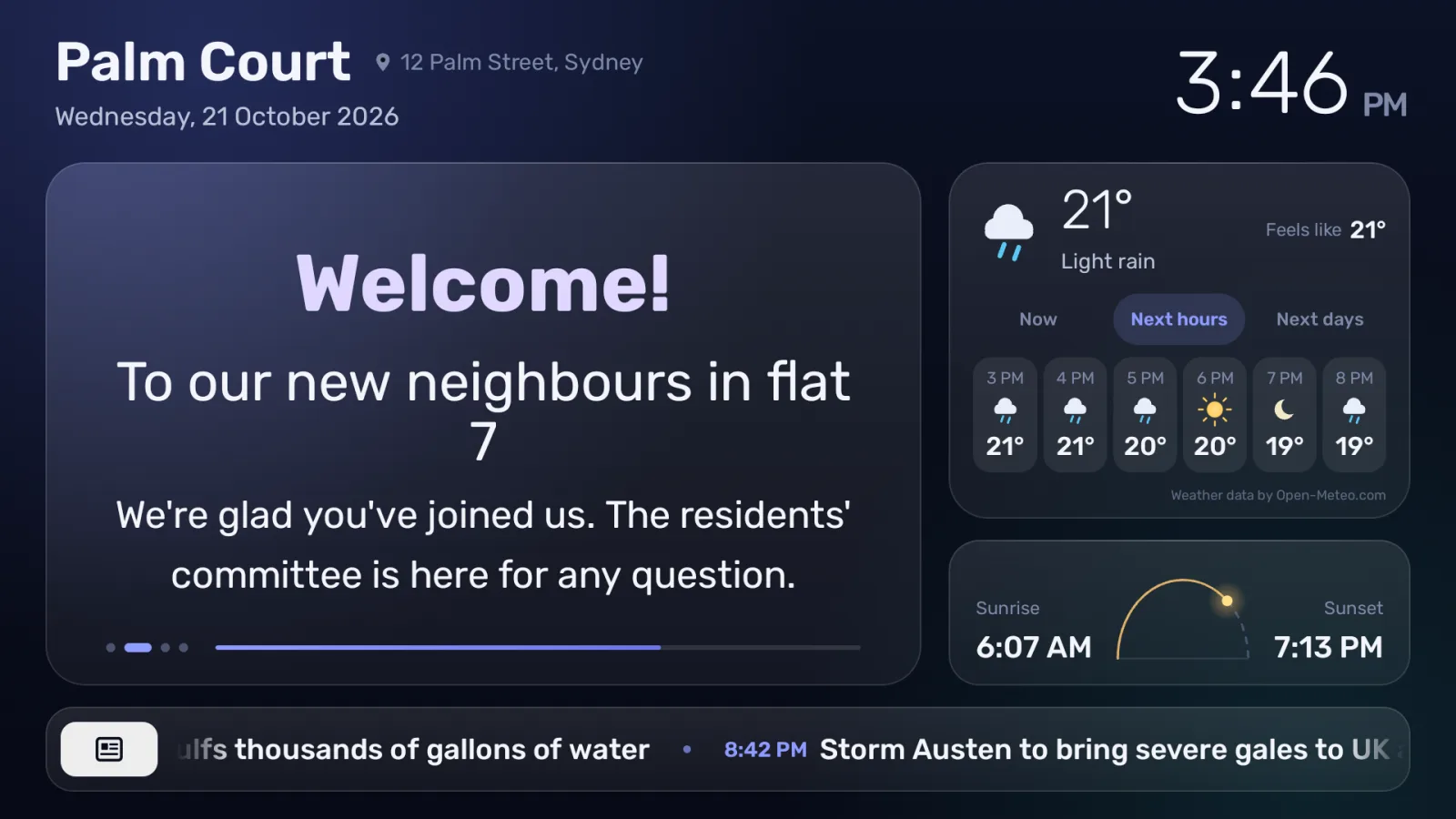
OnBoard turns a TV in the lobby, by the lifts or in any shared space into a noticeboard the committee updates from its phone — with the weather, Shabbat times, news and quiet background music alongside.
No ads
The screen shows only what you choose to show.
No logo of ours
The screen carries your building’s name, not ours.
Free until the end of March 2027
No payment details, so no automatic charges.
Everything the residents need to know
Set it up once. After that the screen looks after itself, and the committee only writes the messages.
Write from your phone
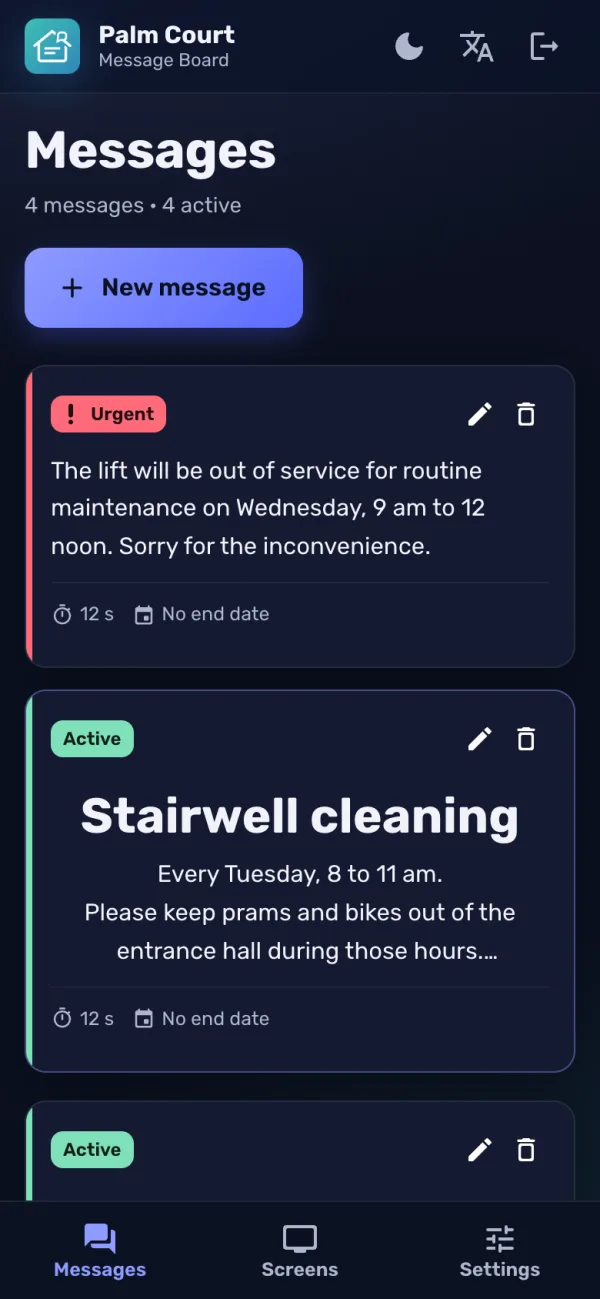
Messages are written on this site from any phone or computer, and are on the screen within a minute. An AI helper can draft or polish the wording.
Urgent notices
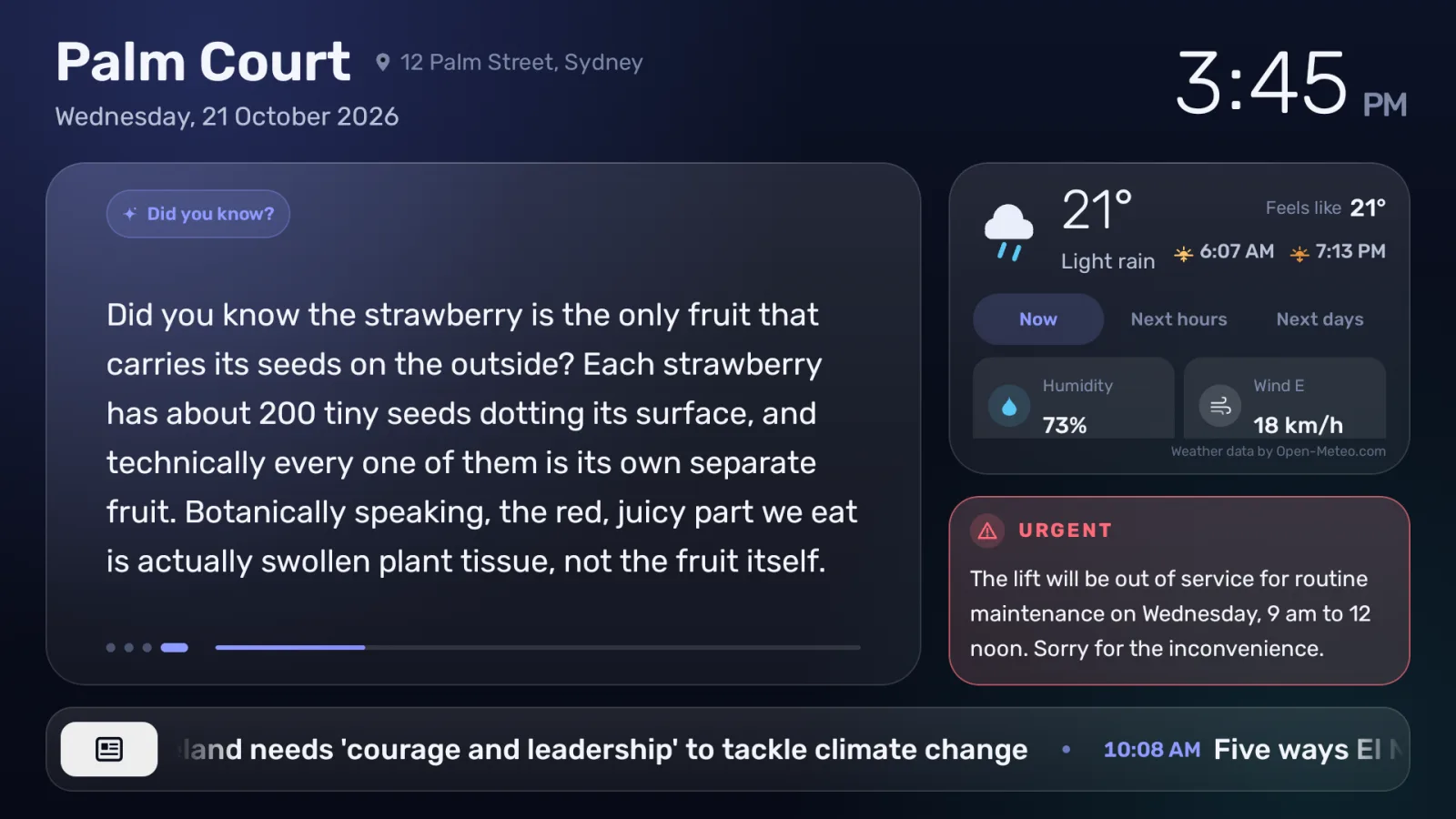
A water cut or a broken lift? Mark the message urgent and it stays in view beside everything else until you take it down.
Weather
Conditions now, the next hours and the coming days, for the building’s own location.
Shabbat and holidays
Candle lighting, havdalah, holidays and the Hebrew date. The screen and the music can switch off on Shabbat and holidays.
News and a daily fact
Headlines from a news site you choose, and a short “Did you know?” that changes every day.
Background music
Quiet background music — ours or your own — with quiet hours at night.
From your phone to every screen in the building
Write a message, choose when it starts and ends, add a picture. That’s it — the screen picks it up by itself.
How to get started
1. Register
Fill in the form below. We’ll get in touch to set up the building.
2. Get two codes
We set the building up and send two codes: one for the screen and one for the house committee.
3. Connect the screen
Install the OnBoard app on the TV — any Android TV or Google TV, or a streaming stick plugged into it — and type in the screen code.
Register your building
No payment details needed. Tell us about the building and we’ll be in touch.
Early-bird reward
Buildings that register during the free period get a lower price for their first year after it.
Questions and answers
What is OnBoard?
A digital noticeboard for residential buildings. A TV in the lobby, by the lifts or in any other shared space shows the house committee’s messages, together with the time, the weather, Shabbat and holiday times, news headlines and quiet background music. The committee updates it from any phone or computer.
How much does it cost?
Nothing for now. The service is free until the end of March 2027. Registering needs no payment details, so nothing is ever charged automatically: before the free period ends we will tell you the price, and you decide whether to continue. Buildings that register during the free period get a lower price for their first year after it.
What equipment do I need?
A TV in one of the building’s shared spaces — the lobby, the entrance, by the lifts — with an internet connection, running Android TV or Google TV. That is either a smart TV that has it built in, or an inexpensive streaming box, such as a Xiaomi Mi Box or a Google TV streamer, plugged into the TV’s HDMI port. A building can have as many screens as it likes.
Who writes the messages, and how?
The house committee, on the OnBoard website, from a phone or a computer. It signs in with its own committee code, so there are no accounts or passwords to manage, and a new message is on the screen within a minute.
Can the screen be off on Shabbat and holidays?
Yes. Each building chooses, separately for the screen and for the music, what happens on Shabbat, the holidays, Yom Kippur and the memorial days, so that the screen can stay dark from candle lighting until havdalah.
What happens if the internet goes down?
The screen keeps showing what it last received, and catches up by itself when the connection is back.
Is it only for buildings in Israel?
No. The board works in Hebrew and in English, anywhere in the world: the weather, sunrise and sunset follow the building’s location, and the Jewish calendar can be turned on or off.
Are there ads on the screen?
No. There are no advertisements, and no logo or brand of ours appears on the screen. It shows your building’s name, your messages and the information you choose to display.